API Authentication
API Authentication🔗
Table of Contents🔗
Authentication Overview🔗
The EarthPlatform STAC API is protected by bearer authentication.
A bearer token must be generated using OAuth Client Credentials Flow. The required client_id, client_secret and access_token_url values can be found on API Credentials page. These API credentials are specific to your user account on EarthPlatform and should be kept confidential. Please note that we have an option to download the .env file if you want to use it with your scripts.
Provisioning a New API Key🔗
- Start by navigating to the API Credentials page using your credentials set in the previous step:
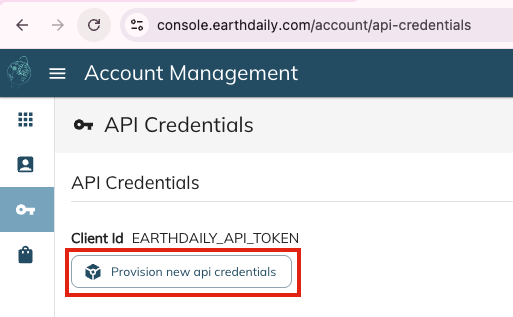
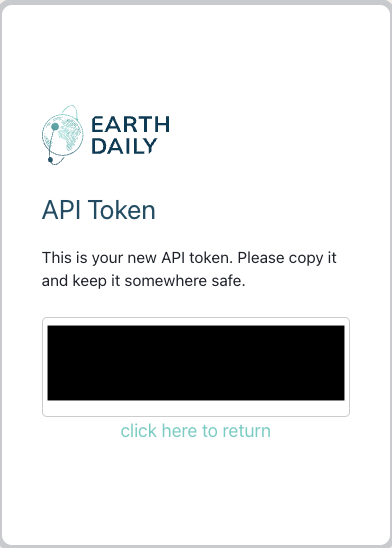
- Click "Provision new api credentials" and copy the prompted token:
- Return to the API Credentials page, download the sample
EDS.envfile, and replace your copied token where prompted: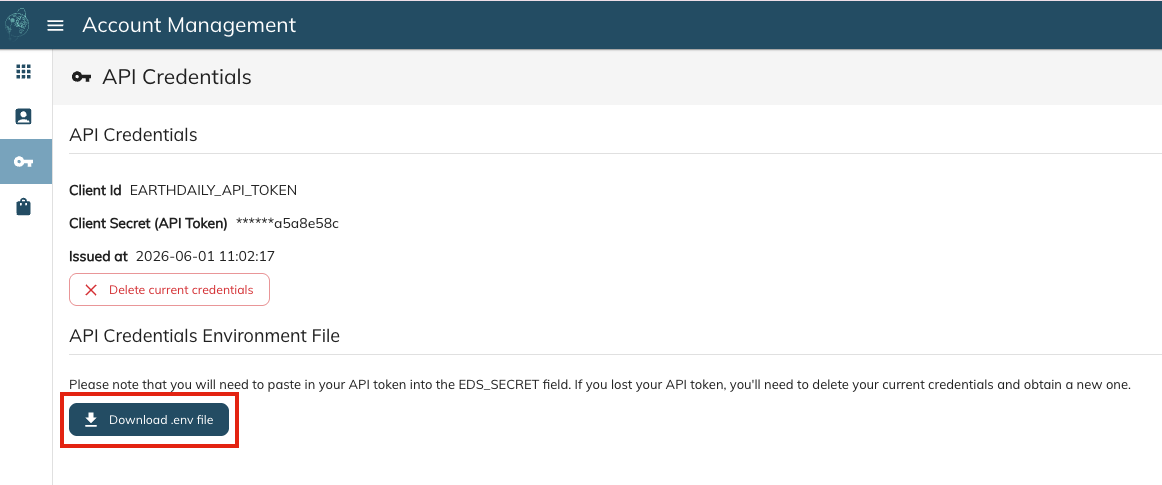

Examples🔗
Command Line🔗
Example curl request to generate token
curl --location '<EDS_AUTH_URL HERE>'
--header 'Content-Type: application/x-www-form-urlencoded' \
--data-urlencode 'client_id=<EDS_CLIENT_ID HERE>' \
--data-urlencode 'client_secret=<EDS_SECRET HERE>' \
--data-urlencode 'grant_type=client_credentials'
Example curl response
Python🔗
import json
import os
import requests
from dotenv import load_dotenv

# Loading secrets from environment variables

# By default, Earth Data Store will look for environment variables called
#    EDS_AUTH_URL, EDS_SECRET and EDS_CLIENT_ID
# Ensure environment variables are set before running this script.

# You can set them in your terminal session or add them permanently to your shell configuration
# (e.g., .bash_profile, .bashrc) using the following format:
#
# export EDS_CLIENT_ID="your_client_id"
# export EDS_SECRET="your_client_secret"
# export EDS_AUTH_URL="your_auth_url"
#
# Alternatively, you can manage environment variables using a .env file and the python-dotenv package.
# Our account Information page will allow you to download your EDS.env file

load_dotenv("EDS.env")

CLIENT_ID = os.getenv("EDS_CLIENT_ID")
CLIENT_SECRET = os.getenv("EDS_SECRET")
EDS_AUTH_URL = os.getenv("EDS_AUTH_URL")
API_URL = os.getenv("EDS_API_URL")

# Setup requests session
session = requests.Session()
session.auth = (CLIENT_ID, CLIENT_SECRET)


def get_new_token(session):
    """Obtain a new authentication token using client credentials."""
    token_req_payload = {"grant_type": "client_credentials"}
    try:
        token_response = session.post(EDS_AUTH_URL, data=token_req_payload)
        token_response.raise_for_status()
        tokens = token_response.json()
        return tokens["access_token"]
    except requests.exceptions.RequestException as e:
        print(f"Failed to obtain token: {e}")

print(get_new_token(session))
Postman🔗
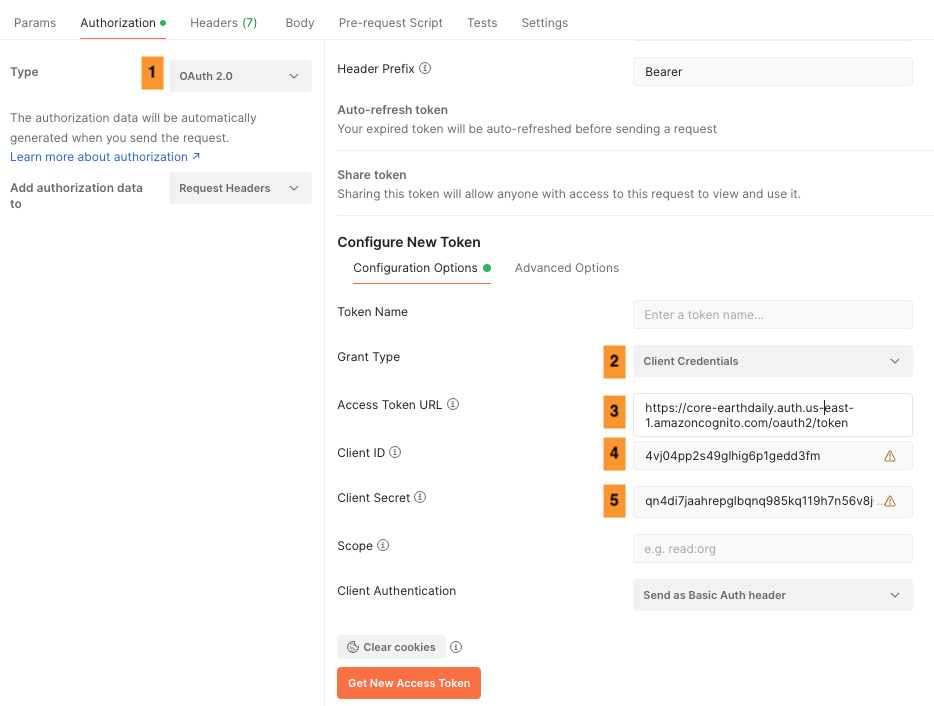
Below is the screenshot showing the Authorization tab in Postman and follow the steps
- Select the Type as OAuth 2.0
- Select the Grant Type as Client Credentials
- Enter the access token URL from the account information page above
- Enter the Client ID from the account information page above
- Enter the Client Secret from the account information page above